01
Go beyond a single chart
Use natal and divisional charts alongside Dasha, Panchang and strength calculations to examine the reading from several angles.
For astrologers who need the details behind a reading. Create birth and divisional charts, explore Parasara, Jaimini, Ashtakavarga, Tajik, KP, Nadi, Sarvatobhadra and BNN, and keep the work connected to your client.
Core astrology tools are available on Free. New JyotishG AI analyses require Pro.
Where the zodiac meets your eastern horizon, your Lagna begins.
01 / WHAT YOU CAN DO
Move from chart preparation to interpretation in one workspace, with the settings and client context your consultation needs.
Use natal and divisional charts alongside Dasha, Panchang and strength calculations to examine the reading from several angles.
Explore Parasara, Jaimini, Ashtakavarga, Tajik, KP, Nadi, Sarvatobhadra and BNN with specialist charts and tables from the JyotishGrid app.
Keep birth details, consultation notes and life events in the client record, ready for the next reading.
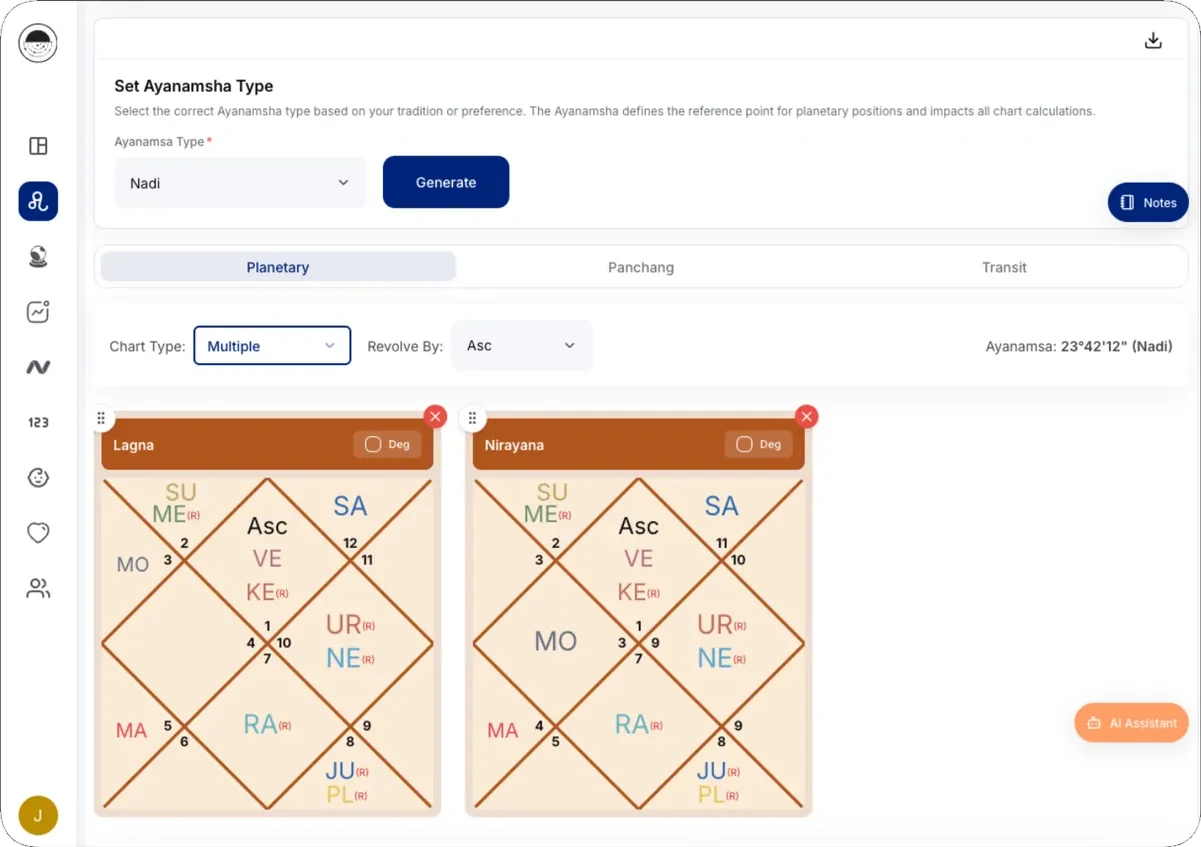
Generate multiple chart types including Lagna, Nirayana, and Divisional charts with comprehensive support.
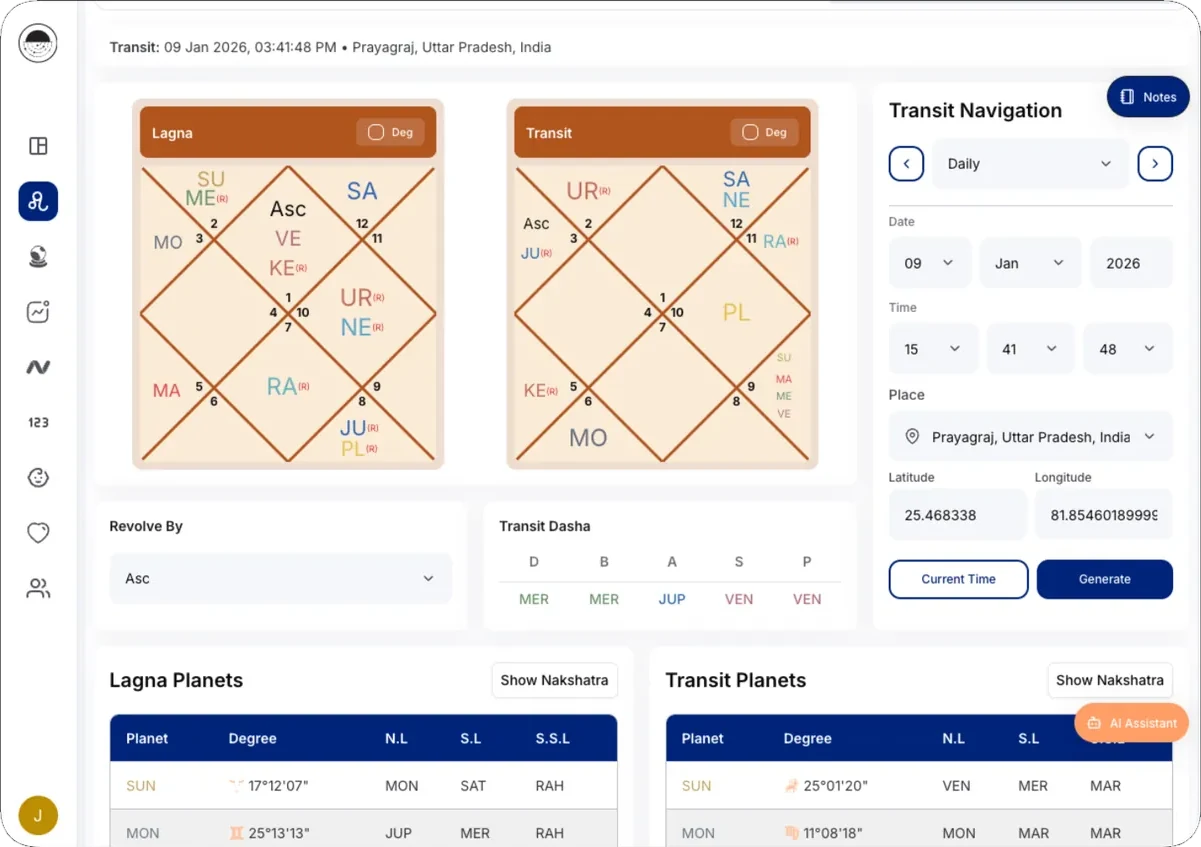
Generate transit charts for specific dates and view detailed transit analysis.
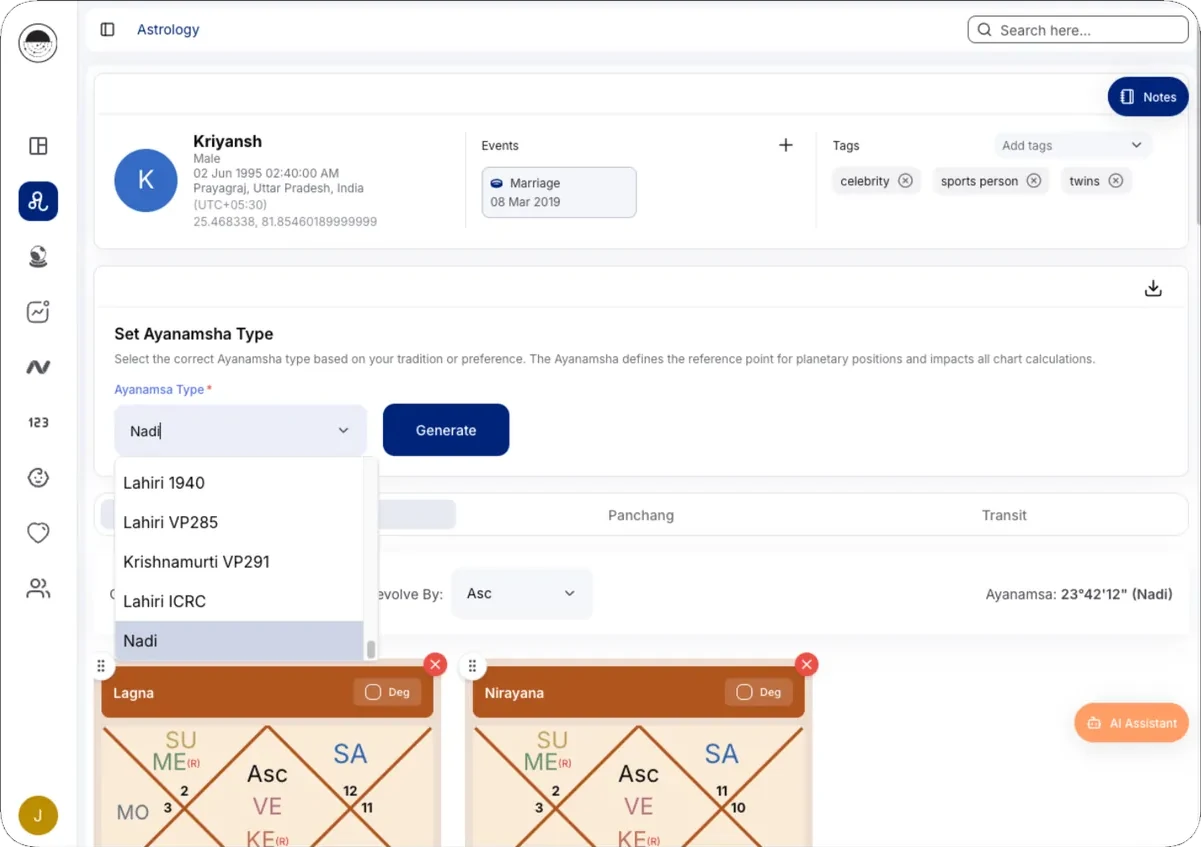
Multiple ayanamsa types with customizable selection for accurate calculations.
Begin with the Parashari essentials. Read each graha’s sign, degree, nakshatra, house and dignity together before moving into divisional charts, Dasha and strength.
Read through the Jaimini approach with sign-based aspects clearly organised. See which signs aspect one another and the planets involved.
Compare contributions without losing the detail. Read Bhinnashtakavarga and Sarvashtakavarga tables in the same workspace as your chart.
Bring structure to your Varshaphala work. Compare Panchavargiya Bala contributions in the app’s strength table while studying the annual chart.
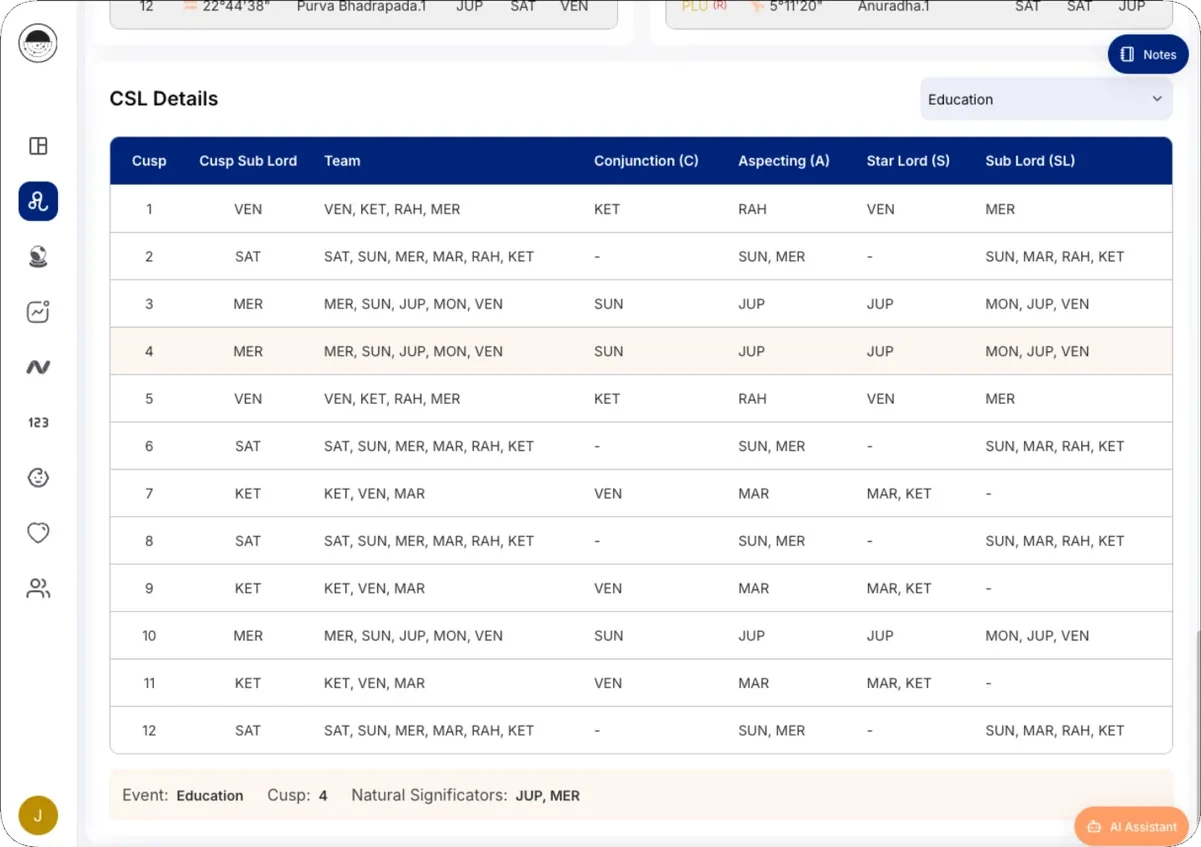
Keep the ruling-planet chain in view. Compare sign, star, sub and sub-sub lords for the Ascendant and Moon, with the day lord alongside.
See every planet’s Nadi co-ordinates in one table: the house it occupies, the cusps it rules, and its star and sub lords. A quicker route to the significators behind an event.
Study nakshatras, signs, sounds, tithis and weekdays in one traditional grid. The app’s interactive Chakra brings these reference points together for your analysis.
Follow the relationships between planets. See Nadi connections in a structured table, so you can spend more time on the reading and less time assembling it.
Analyze possibility of selected events using CASS Table and House Coordinates.
02 / IN YOUR DAILY PRACTICE
A familiar reading process, with the calculations and client record close at hand.
Enter or open the client’s date, time and place of birth. Review these details before generating a chart.
Select the chart, ayanamsa and house system you use, then explore the relevant planetary and timing tools.
Bring your interpretation to the consultation and keep the discussion in client notes for follow-up.
03 / IN DEPTH
A kundli (Janam Kundli, or birth chart) maps the sky at the moment and place of birth. For a working astrologer the chart is only the start: the reading depends on divisional charts, timing systems and the client’s history.
JyotishGrid calculates the Rashi chart (D1) from the client’s date, time and place of birth and shows the divisional charts, or vargas, from D1 to D60. Divisional charts such as the Navamsa (D9) and Dashamsa (D10) let you study a single area of life in more detail and check whether a planet’s promise in the birth chart is supported.
You choose the ayanamsa (Lahiri, KP, Raman and others) and the chart settings you work with, so the numbers match the method you were trained in.
Vimshottari Dasha periods sit beside the chart, so you can move from what the chart promises to when it is likely to unfold. Transit tools, Sade Sati analysis and planetary event views help you time a prediction rather than describe it in general terms.
Many astrologers combine methods. JyotishGrid includes Krishnamurti Paddhati (KP) with cuspal sub-lords and significators, Bhrigu Nandi Nadi (BNN), Jaimini karakas, Ashtakavarga bindu tables, Tajik (Varshaphala) annual charts and the Sarvatobhadra Chakra in the same workspace.
Every chart is linked to a client record with consultation notes, life events and family relationships. When the client returns, you start from the previous reading instead of re-entering birth details.
VIDEO TUTORIALS
Transit, Vedha Analysis & Panchashalaka Explained
Annual Horoscope, Muntha, Mudda Dasha & Panchadhikari Analysis
Navtara Chakra, Vimshottari Dasha & Latta Calendar Tutorial
04 / A LITTLE MORE CLARITY
The details that matter to your practice.
Practising astrologers who want chart calculations and consultation records in a browser-based workspace. You bring the astrological method and interpretation.
It supports Horary and Jamakkol analysis using the question and chart. New AI analyses require Pro. You review the response before using it in a consultation.
Yes. Free includes core astrology tools and client records. Compare the Free and Pro plans for advanced features, AI and report access.
You choose. Lahiri, KP, Raman and other ayanamsa options are available, so the chart matches the system you practise.
No. JyotishGrid runs in the browser on a computer, tablet or phone, and your charts and clients are available wherever you sign in.
MAKE IT PART OF YOUR PRACTICE
Start with the tools you know, then explore the rest of your astrology workspace.
Core astrology tools are available on Free. New JyotishG AI analyses require Pro.